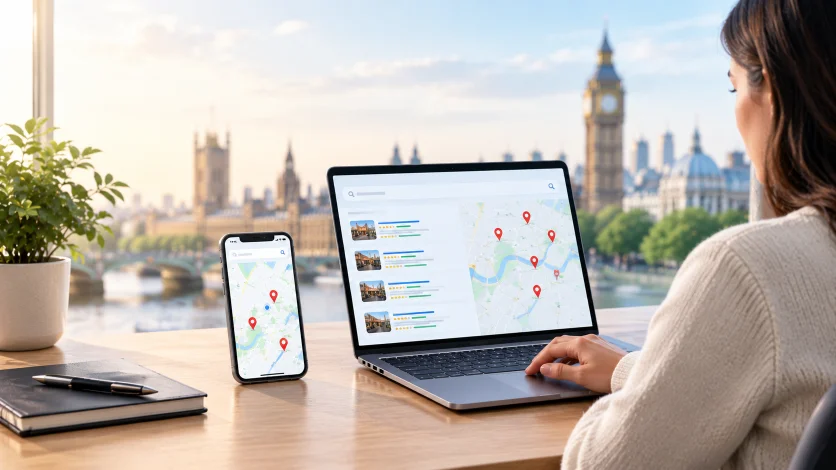

You checked your rankings this morning, and you’re in the top three. Then a customer tells you they couldn’t find you. Both things can be true.
Local search results depend on where the search happens. Google decides who to show based on three main factors: relevance, distance, and prominence. Google Business Profile help documentation names these three as the basis of local results.
So your business doesn’t have one fixed local ranking. It has many rankings, and they change from street to street. This guide explains why local SEO rankings change by location, what causes drops, and how to respond.
What Is Local SEO and How Does It Work?
Local SEO helps a business show up when people search for nearby services. It covers your Google Business Profile, your website, reviews, citations, and links. The goal is to appear in Google Maps, the Local Pack, and the Local Finder when customers search.
Google looks at the searcher’s location, the meaning of the query, and the information it has about local businesses. Then it ranks the businesses it believes fit best. That is why two people searching the same phrase can get different results.
Google’s Three Main Local Ranking Factors
These three factors are the core of local SEO ranking factors. Every other tactic ties back to one of them.
| Factor | What Google looks at | What you can influence |
|---|---|---|
| Relevance | How well your profile matches the search | High |
| Distance | How far you are from the searcher | Low |
| Prominence | How well known and trusted you are | Medium to high |
FactorWhat Google looks atWhat you can influenceRelevanceHow well your profile matches the searchHighDistanceHow far you are from the searcherLowProminenceHow well known and trusted you areMedium to high
Relevance
Relevance is how well your business matches what the person wants. Google reads your Business Profile, your categories, your listed services, and your website content. It also tries to understand the meaning and intent behind the query. For example, a search for “emergency plumber” has a different intent than “plumber for bathroom refit” A profile with the right primary category and clear service details helps Google see the match.
Distance
Distance is how far your business is from the searcher, or from the location named in the query. This is proximity in local SEO, and it is one of the strongest reasons rankings vary by location. Distance is measured from your physical premises, meaning the address on your profile. This is why the same business can rank well on its own street and poorly a few miles away.
Prominence
Prominence is how well known your business is. Google uses reviews, ratings, links, mentions, and citations from across the web. Your website visibility and overall reputation also count. Popular and well-reviewed businesses tend to rank higher. Prominence is the factor that can partly make up for distance, since it builds over time.
10 Reasons Why Local Rankings Change
Local rankings move for many reasons. Some come from Google, some from your own changes, and some from your competitors. Knowing which one applies helps you fix the right thing.
1. Google Algorithm Updates
Google can change how it weighs relevance, distance, prominence, spam, reviews, and other signals. These updates can shift Google local rankings even when you change nothing. Some updates hit the Local Pack. Others affect organic results, which then affect your local visibility.
The key point is that a drop isn’t always your fault. Before you edit your profile or website, check whether other businesses in your area moved on the same day. If they did, an update is a likely cause.
2. The Searcher’s Location and Proximity
Local search rankings by location can vary a lot. A business may rank high for someone standing nearby and much lower for someone a few miles away. Distance is a core local ranking factor, so this is normal behaviour. Proximity works in every direction from your address. A searcher two streets east may see a different Local Pack than a searcher two streets west.
3. Changes to Your Google Business Profile
Your Google Business Profile tells Google who you are and what you do. Changes to your business name, primary category, address, hours, services, or website URL can all affect local visibility. Even a well-meant edit can move your ranking for a while.
Google can also apply or suggest edits on its own. These come from user suggestions or from data Google finds elsewhere. If nobody checks your profile, a wrong category or link can sit there for weeks. That is why regular profile checks matter.
4. Competitors Improving Their Local Presence
Local rankings are relative. You can lose a spot without changing anything. A competitor may gain reviews, upgrade its website, add photos, or complete its profile. A new business may also open nearby and take a place in the Local Pack.
In busy markets, the gap between positions is often small. A competitor that works on its profile every month can slowly pass a business that hasn’t changed in a year. Tracking local competitors helps you spot this early.
5. Changes in Reviews and Ratings
Reviews are a major part of prominence. Review count, review activity, and star ratings all shape how you compare with other businesses. Reviews also help customers decide who to call.
A competitor that earns reviews steadily while your profile sits still can gain ground over time. Your own rankings can also drop if reviews get removed or your rating falls. Reviews that mention your services and neighbourhoods can support relevance too. Consistency matters more than a single burst of reviews.
6. Changes to Your Website and Local Pages
Your website supports both relevance and prominence. A redesign, a URL change, removed pages, or a technical error can hurt local search performance. So can rewriting service or location page content without a plan.
Common problems include missing redirects, accidental noindex tags, slow pages, and downtime. Any of these can weaken the signals that back up your Business Profile. If your rankings fell after a site update, check your service pages and Google Search Console first.
7. Inconsistent Citations, NAP, or Duplicate Listings
NAP stands for name, address, and phone number. When these details differ across directories, Google gets mixed signals about your business. It may not be sure where you are or which listing is correct.
Old addresses, duplicate Google Business Profiles, and wrong third-party data are common causes. Small differences matter too, like “Street” versus “St” or an old phone number. Clean, matching local citations help Google trust your business details.
8. Gains or Losses in Local Backlinks
Local backlinks add to prominence. Links from local news sites, chambers of commerce, partners, and community groups show that others recognise your business. Google can use these signals along with reviews and mentions.
If you lose a relevant local link, your prominence can slip. If competitors earn stronger links, the balance changes too. This kind of shift is slow, so it often explains gradual drops rather than sudden ones.
9. Google’s Local Filters
You may not have truly lost your ranking. Google can filter listings that look too similar to others. This often affects duplicate profiles, businesses sharing an address, or several listings in the same category close together.
A filtered profile can seem to disappear for some searches. It may still show when someone searches your business name. If this sounds familiar, search your main category from near your address. Then look for duplicates or close competitors that may be causing the filter.
10. Changes to the Search Results Page
Your ranking position can stay the same while your visibility drops. Google may change the Local Pack layout, add more ads, or show new features. Google AI Overviews and other answer boxes can also push results down the page.
This means fewer people may see or click your listing even if your position hasn’t moved. AI search adds another layer. Google AI Mode, Google Gemini, ChatGPT, Microsoft Copilot, and Perplexity can all answer local questions.
How to Diagnose If Your Local Ranking Has Changed?
When you see a drop, don’t start changing things right away. Work through these steps in order. Each one rules out a cause.
- Confirm the drop is real. Compare your rank tracker, a geo-grid scan, and your Business Profile performance data. If only one tool shows the drop at one point, and calls and direction requests are steady, it is probably noise.
- Check the timing against known updates. Note the exact date the change began. Compare it with confirmed Google updates, volatility trackers, and local SEO community reports. See if competitors moved on the same day.
- Review your profile edit history. Check the category, name, address, website link, and hours. Look for Google-applied updates waiting for review. Check for verification requests or suspension notices.
- Audit recent website changes. Ask your team or developer what changed in recent weeks. Look for removed pages, rewritten titles, missing redirects, noindex tags, and downtime. Use Google Search Console to spot indexing problems and traffic drops on key pages.
- Look at your competitors. Check the businesses now ranking above you. Did any gain many reviews, change categories, or rename themselves? Did a spam listing appear, or did a former top result disappear?
- Look for filtering or duplicate listings. Search your business name and main category from very close to your address. Look for duplicate profiles, including old ones from past addresses. Check if you share a building with a competitor in the same category.
How to Improve Local Visibility Beyond Your Immediate Area?
You can’t change your address. You can strengthen relevance and prominence so you compete better in nearby areas.
Strengthen Your Google Business Profile
Google recommends complete and accurate profile information. Fill in every section that applies to your business.
- Choose the most accurate primary category
- List the services you actually offer
- Keep opening hours and bank holiday hours current
- Add real photos of your work and location
- Answer reviews and keep business details correct
Build Genuine Local Relevance
Your website should show what you do and where you do it. Create service pages that explain each service clearly. Add useful local information, such as areas you serve, projects you completed, and local details customers care about.
Link related pages together so Google can see how your services and locations connect. Adding LocalBusiness structured data can also help search engines and AI tools read your name, address, and hours. This supports entity recognition, which is how systems understand your business as a distinct place. Not sure why your rankings keep moving? We can review your Google Business Profile, website, and local competitors, then show you what to fix first.
Strengthen Prominence
Prominence grows from real trust signals. You can strengthen it by considering the following:
- Earn genuine reviews from real customers
- Get links from relevant local websites
- Seek mentions from local news, chambers of commerce, and partners
- Keep citations accurate on major directories
- Build brand visibility across the web
Build Visibility Where Customers Actually Search
Don’t create 50 city pages just to cover more names. That approach rarely helps and can look spammy. Instead, identify the places where your customers really are. Understand what they want in those searches. Then create useful local resources only where there is a real reason to do so.
Temporary Fluctuations vs. Lasting Ranking Drops
Once you know the likely cause, decide whether to act or wait.
Signs a change will recover on its own
- The movement is small, usually one to three positions.
- It affects one or two keywords, not your whole list.
- It shows at one tracking point but not across a geo-grid.
- Competitors moved at the same time, which points to an update.
- Calls, direction requests, and website visits haven’t changed much.
- It lines up with an update that is still rolling out.
Signs of a deeper problem that needs action
- The drop is large, such as from the top three to off the first page of the Map Pack.
- It covers many keywords and a wide area on your geo-grid.
- Leads and profile actions fell at the same time.
- Your listing doesn’t show for category searches, or only shows for your brand name.
- There is a suspension notice, a verification request, or an unexpected profile change.
- The drop lines up with a website redesign, migration, or major content change.
How to Reduce Ranking Volatility Over Time?
You can’t stop local rankings from moving. You can make your position steadier.
- Keep your profile stable and accurate: Avoid frequent edits to your name, primary category, and address. Make changes one at a time and note the date so you can link movement to the edit. Keep hours and services current.
- Keep reviews coming in steadily: A steady flow beats occasional bursts. Ask for reviews after a job or visit so they arrive every week or month. Steady review activity also looks more natural.
- Watch for suggested edits and spam: Log in every week or two and check for Google-applied updates. Review your categories, website link, and address each time. Report spam listings in the Map Pack through the proper channels.
- Keep your citations clean: Make sure your name, address, and phone number match on major directories. After a move, rebrand, or phone change, update citations promptly. Merge or fix old listings.
Conclusion
Your position on one block can differ from your position a few miles away. Competitors, profile edits, reviews, filters, and results page changes add to the movement. Don’t panic over small shifts. Confirm the drop, check the timing, and work through the causes in order. Then focus on what you control, which is your profile, your website, your reviews, and your local reputation.
If you want a clear picture of how you rank across your service area, start with geo-grid rank tracking. It shows where you are strong, where you are weak, and what to fix first. Not sure why your rankings keep moving? Cresvi can review your Google Business Profile, website, and local competitors, then show you what to fix first. Book a free consultation or contact our team to get started.