

Imagine a business that serves London, Manchester and Birmingham. The owner wants leads in all three. So the team copies one service page three times and swaps the city name. Six months later, Google Search Console shows a mess. The London page ranks for Manchester searches. The Manchester page has vanished. Nobody can explain why.
This is the classic problem in multi-location SEO. City pages seem like the obvious answer, but they cause trouble when they all chase the same search intent. Google then struggles to pick the right page, and your own URLs end up competing.
The fix is not to avoid city pages. The fix is to give each one a clear job.
This guide shows you how to do that. You will learn what keyword cannibalisation really means, a seven-step process for local SEO for multiple locations, and how to repair pages that already overlap. You will also see how AI search tools such as Google’s AI Overviews, ChatGPT search, Gemini, Perplexity, and Bing Copilot are changing the picture.
What Is Keyword Cannibalisation in Local SEO?
Keyword cannibalisation happens when two or more pages on your site compete for the same search. Google has to choose between them. It often chooses badly, or it swaps between them over time.
Here is the part many guides get wrong. Using the same keyword on several pages is not automatically cannibalisation. The real issue is overlapping search intent. Take a company with these three URLs:
- /seo-services/
- /seo-services/london/
- /seo-services/manchester/
If all three target “SEO services” with almost identical content, they overlap. But if each has a distinct purpose, they work together:
- /seo-services/ explains the general service.
- /seo-services/london/ serves businesses in London.
- /seo-services/manchester/ serves businesses in Manchester.
Similar keywords rarely cause the damage. Similar intent does. That idea sits at the heart of keyword cannibalisation in location pages, and everything below builds on it.
Why Does Multi-Location SEO Cause Keyword Cannibalisation?
Most cases of keyword cannibalisation in multi-location SEO come from a handful of easy habits.
- Building too many city pages, often for places where the business has no customers, no demand and nothing useful to say.
- Copying one page and swapping the city name. Turning “SEO services in London” into “SEO services in Manchester” is not real localisation, because Google sees near-duplicate content and readers leave just as quickly.
- Targeting the same keyword on several URLs, such as /seo-london/, /seo-services-london/ and /london-seo/. All three chase one search, so Google has no reason to prefer any of them.
- Mixing service and location intent can work, for example with /seo-services/, /seo-services-london/, /local-seo/ and /local-seo-london/, but only if each page has a clearly different purpose.
- Poor internal linking makes things worse, because search engines use links to understand how pages relate. If your links point at different URLs for the same topic, you send mixed signals about which page matters most.
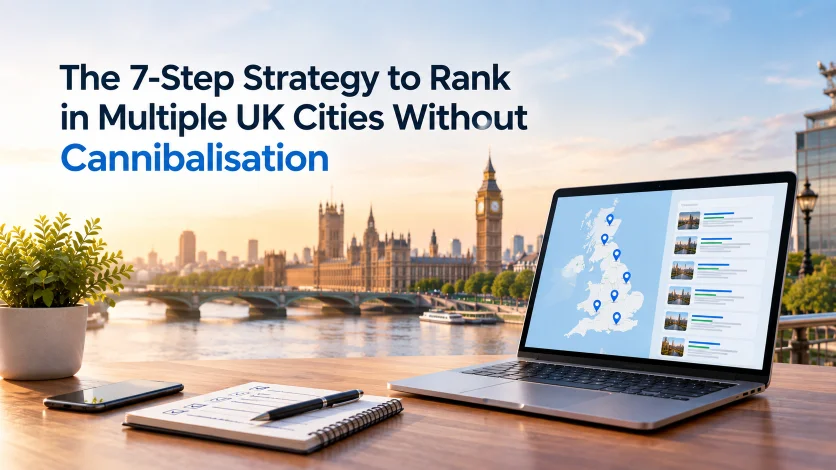
The 7-Step Strategy to Rank in Multiple UK Cities Without Cannibalisation
This is the practical framework. Follow the steps in order, because each one supports the next.
Step 1: Choose the UK Cities That Actually Deserve a Page
Do not create a page just because a keyword tool shows “SEO agency York”. First ask whether you actually serve York, whether there is meaningful demand, and whether the location is commercially valuable. Then check that you have customers or projects there, that you can offer genuinely useful local information, and that the location truly needs its own page.
A location opportunity table turns these opinions into decisions by scoring each city on relevance, demand and competition. Do not aim for the largest possible number of pages. Aim for the largest number of useful pages you can genuinely support.
Step 2: Map Keywords to One Clear Page Intent
Build a simple sheet that assigns each page one dominant purpose, called keyword-to-URL mapping. If you are new to keyword research, start with our guide to SEO fundamentals. The rule is simple. One page does not have to rank for one keyword. But one page should have one dominant search intent.
This also helps with AI search. Answer engines pull from pages that state clearly what they cover and who they serve.
| URL | Search Intent | Primary Keyword | Supporting Terms |
|---|---|---|---|
| /seo-services/ | General service | SEO services | SEO company, SEO consultant |
| /seo-services/london/ | Service + London | SEO services London | SEO company London |
| /seo-services/manchester/ | Service + Manchester | SEO services Manchester | SEO consultant Manchester |
| /local-seo/ | Specific service | Local SEO | Local search optimisation |
Step 3: Build a Logical Multi-City Site Structure
A clear structure tells both people and machines how your locations fit together. Here is one model:
SEO Services
│
├── London
├── Manchester
├── Birmingham
├── Leeds
└── Bristol
Here is a wider view for larger sites:
SEO Services → UK Locations → City Pages
Current competitor research puts growing emphasis on central location hubs and logical geographic architecture as sites scale. A hub gives Google one clear page to understand your coverage. Plan these elements together:
- URL structure: keep it predictable, such as /service/city/.
- Navigation: make city pages reachable in a few clicks.
- Breadcrumbs: show the path from service to location.
- Internal links: connect related pages deliberately.
- XML sitemap: list every page you want indexed.
- Location hub: create one central page that links to all your important locations.
- Service-to-location relationships: make it obvious which services apply where.
Step 4: Make Every City Page Genuinely Different
This does not mean writing 1,000 words and changing “London” to “Manchester”. Real differences look like this:
| Weak localisation | Strong localisation |
|---|---|
| City name | Local customer needs |
| Local keyword | Local services |
| Same stock image | Genuine local imagery where appropriate |
| Generic testimonial | Location-specific proof |
| Same FAQs | FAQs based on local intent |
| Same service description | Services relevant to that market |
| Generic CTA | Location-relevant CTA |
What can you add to make a page truly local?
One warning matters more than the rest. Do not invent local experience to make a page look local. If you have no Leeds clients, you have no Leeds story. Say less, or do not build the page yet. The following are the points to consider while building a local page.
- Areas you serve and nearby areas
- Local industries and their typical problems
- Projects completed in the area
- Testimonials and case studies from local clients
- Local team information, where it applies
- Location-specific FAQs
- Relevant local entities, such as business districts, landmarks and organisations
Step 5: Strengthen Local Signals Beyond the Website
A city page is one part of a local SEO strategy. It is not the whole strategy. Google states that local results rely mainly on relevance, distance and prominence. Structured data matters more each year. It gives machines a clean, machine-readable business information layer, which helps Google and AI systems connect your brand to a place. Prominence includes signals such as links and reviews. So look beyond your own pages:
- Google Business Profile: claim and complete a profile for each genuine location.
- Reviews: collect reviews that mention the service and place.
- Local citations: list your business in trusted directories.
- NAP consistency: keep your name, address and phone number identical everywhere.
- Local backlinks and mentions: earn coverage from local publications, partners and associations.
- Structured data: add LocalBusiness or a suitable subtype markup to each location page.
Step 6: Use Internal Links to Tell Google Which Pages Belong Together
Internal links show which pages belong together. Here is the model:
Main Service Page
↓
Location Hub
↓
London ─ Manchester ─ Birmingham
↓
Relevant Service Pages
Use descriptive anchor text. For example, “SEO services in Manchester” tells Google and readers what to expect. “Click here” tells them nothing. But avoid robotic exact-match anchors everywhere. Mix natural phrasing so your links read like real editing. Follow these linking rules:
- Link from the main service page to each city page.
- Link from each city page to the relevant service.
- Link from the location hub to all important locations.
- Link from blog posts to the most relevant service or location page.
- Never use different URLs interchangeably for the same topic.
Step 7: Monitor, Compare and Refine
Multi-city SEO is not publish and forget. Track impressions, clicks and average position for each city, and note which URL ranks for every query. Watch your indexed pages, city-level traffic and conversions too, since these show whether local visitors actually become leads. Together, these measures reveal how your queries and pages relate, and that is exactly what you need to spot overlap. This monitoring leads straight into diagnosis, which the next section covers.
How Do AI Search and Answer Engines Change Multi-Location SEO?
Classic rankings still matter. But people now also ask questions in AI-powered search tools, and those tools build AI-generated answers from sources they trust.
Systems such as AI Overviews, ChatGPT search, Gemini, Perplexity and Bing Copilot do not simply count keywords. They try to understand entities and how they relate. A business is an entity. A city is a geographic entity. Your services are entities too. Entity understanding helps a system decide whether your London page answers a London question.
That is why the fixes in this guide also help generative engine optimisation (GEO) and answer engine optimisation (AEO). Overlapping pages blur your entity signals. Clear pages sharpen them.
How to Improve AI Search Visibility For Multiple UK Cities?
Nobody can promise an AI tool will cite your page. Source selection stays opaque. But pages with a single clear intent, accurate local facts and strong supporting signals give these systems less reason to skip you. To improve your AI search visibility, focus on these areas:
- Clear entity relationships: state plainly which services you offer in which cities.
- Structured data: mark up locations, services and organisation details consistently.
- Consistent brand mentions and citations: the same name and details across trusted sources help systems build a reliable knowledge graph entry.
- Conversational, natural-language queries: write headings and answers that match how people actually ask, such as “Which SEO agency works with businesses in Leeds?”
- Topical and local authority: cover your topic in depth, and support it with genuine local proof.
Which Tools Help You Find Keyword Cannibalisation?
Finding keyword cannibalisation starts with seeing which of your pages appear for the same searches, and the right tool depends on your site size and budget. Some options are free and take minutes to check, while others crawl your whole site or track rankings over time. You do not need every tool on this list. Start with the ones that answer your immediate question, then add more only when you need deeper data.
- Google Search Console: shows queries, impressions, clicks and ranking URLs. It is the best place to spot several pages appearing for one search.
- Google Search: a quick manual check. Search your target term with “site:yourdomain.com” to see which pages Google surfaces.
- Screaming Frog: crawls every URL so you can compare titles, H1s, duplicate content and internal links. The free version covers up to 500 URLs.
- Ahrefs: useful for historical rankings, keyword-to-URL relationships and competing pages.
- Semrush: helpful for position tracking, cannibalisation reports and ranking URL changes.
- Google Sheets or Excel: easy to overlook. A simple keyword-to-URL spreadsheet often solves the problem for smaller sites.
Honest advice: start with Search Console and a spreadsheet. Paid tools add convenience and history, but they rarely reveal a problem that a careful look at Search Console would miss.
How Do You Fix Keyword Cannibalisation Without Starting Over?
You rarely need to rebuild. Work through these fixes in order, using a simple decision tree.
Different intent? Keep both pages
If both pages have a legitimate purpose, keep them and sharpen the difference. Clarify the titles and H1s so each one signals its own intent, strengthen the unique content on both, and improve internal links so each page gets support from the right places. The goal is to make every page’s purpose obvious to Google and to readers.
Same intent, same location? Consolidate
If two pages do the same job in the same location, such as /seo-london/ and /seo-services-london/, consolidate them. Choose the stronger URL, then move any useful content from the weaker page across. Redirect the weaker URL to the stronger one with a 301, and update your internal links and sitemap references so nothing still points to the old address.
One page fits the intent better? Strengthen it
If Google keeps switching between two pages, decide which one should own the query. Improve that page. Remove competing optimisation from the other. Update internal links and adjust the title, H1 and content where needed.
Thin city page? Improve, merge or remove
Do not keep a page just because it contains a city name. Ask one question: does this page give someone in this location something useful? If the honest answer is no, ask whether it should exist at all.
Wrong internal links? Correct them
If half your site links to /seo-london/ and the other half links to /seo-services-london/, you confuse Google. Pick the intended URL and update every link to match.
Do not automatically canonicalise one city page to another
A canonical tag is not a magic “stop cannibalisation” button. If two pages serve different locations, pointing one at the other can remove the very page you wanted to rank. Use canonicals for true duplicate or near-duplicate URLs. Do not use them to hide poor architecture.
Why Do UK Businesses Need a Scalable Multi-Location Strategy?
The UK market is spread across a huge number of places. According to the latest ONS figures, there were 2.79 million VAT and/or PAYE registered businesses and around 3.2 million local units in the UK in March 2026.
| Measure | Figure |
|---|---|
| VAT/PAYE businesses in the UK | 2.79 million |
| Local business sites across the UK | 3.2 million |
| Growth in VAT/PAYE businesses, March 2025 to March 2026 | +1.9% |
More locations can mean more opportunity. But that only holds if your website organises those locations clearly. A scalable strategy beats a pile of near-identical pages every time.
Final Checklist for Multi-City SEO Without Cannibalisation
Save this list and run it before every new page:
- Does each city have a genuine business purpose?
- Does each page target a clear search intent?
- Does another URL already target the same intent?
- Is the location genuinely relevant?
- Does the page contain meaningful local information?
- Is the content more than a city-name swap?
- Is the page internally linked correctly?
- Is the URL structure logical?
- Have unnecessary duplicate pages been removed?
- Are competing URLs monitored in Google Search Console?
- Are weak pages improved, merged or removed?
Build a Multi-City SEO Strategy That Doesn’t Compete With Itself
Ranking across multiple UK cities is not about creating as many location pages as possible. It is about giving every page a clear purpose, matching the right search intent and offering something useful about that place.
Before you add a new city page, check three things. Is the location commercially relevant? Are people searching for your service there? Does another page already cover the same intent?
If you already have competing pages, do not rush to delete them. Use Google Search Console and your SEO tools to see which URLs appear for the same queries. Then decide whether to differentiate, consolidate or redirect.
Want to find out where your website is losing visibility to keyword cannibalisation? Talk to Cresvi about a multi-location SEO audit and build a clearer search strategy for every city you target.